Workshop: Minecraft for Teaching: From Play to Pedagogy
12 December 2025
Series
Frontier Series 2025
Domain
AI and Edtech
Build immersive learning adventures with Minecraft.
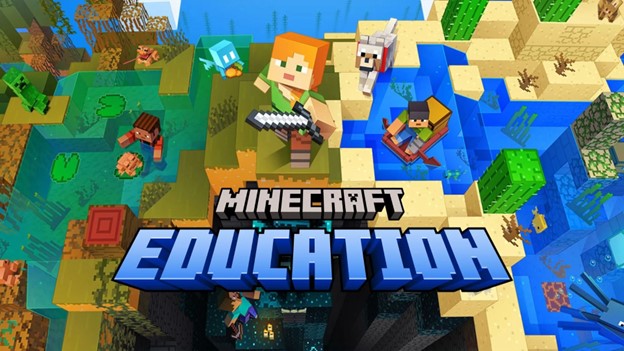
Are you wondering how you can design a virtual world for more immersive, interactive, online learning experiences? Did you know that you have access to Minecraft Education through your poly’s Microsoft O365 subscription? (Note: SP does not have an institutional subscription, but colleagues can access trial accounts.)
You may have heard about or played Minecraft. Now, experience Minecraft from a teacher’s lens in this hands‑on workshop. We’ll explore how to design interactive learning using sandbox worlds that drive creativity, collaboration, and problem‑solving.
You’ll try classroom‑tested activities and adapt ready‑made templates to your subject. Leave with a mini‑lesson plan, assessment ideas, and practical rollout tips for your own classes. No prior Minecraft or coding experience required!
Find out more about Minecraft Education at https://education.minecraft.net/en-us (opens in new tab)
Date: Friday, 12 December 2025
Time: 1:00PM - 5:00PM
Venue: Ngee Ann Polytechnic, Blk 56, Level 6, Room 56-06-0003
Facilitator: Mr Tomo Farid/ Republic Polytechnic
About the Facilitator
Mr. Tomo Farid is a Lecturer at the School of Business, Republic Polytechnic. He holds a Master of Education and has over 8 years of experience in adult training and development. He specialises in Human Resource Management, Learning and Development, Data Analytics & Visualisation, Entrepreneurship, and Design Thinking.With a strong passion for teaching and learner engagement, Tomo has been actively involved in curriculum design and EdTech innovation. His approach focuses on integrating real-world relevance with practical skills, creating dynamic, learner-centered environments that inspire critical thinking, adaptability, and continuous growth.
TLCF Competency Mapping
Design Outcomes-based Curriculum
Create Effective Learning Environments
Integrate EdTech in T&L
Learning Outcomes:
Describe the core features and pedagogical value of Minecraft Education for classroom use, using examples of how it can support engagement and basic learning goals.
Configure a simple, classroom-ready world and manage a basic session (e.g., joining, guiding, saving) using built-in classroom tools.
What You’ll Do
Get a feel for hosting/joining a shared world and how simple Classroom Settings can make sessions smooth and safe.
Embed instructions and resources with non-playable characters (NPCs), chalkboards, and boards.
Experiment with easy evidence capture: snap photos, collect a Portfolio, and add short reflections with Book & Quill.
Adapt curated templates from the Lesson Library to your discipline.
What You’ll Leave With
A classroom‑ready mini‑lesson plan (with objectives, tasks, and timing).
A facilitator checklist for setup, safety, and session flow.
Links to curated templates and exemplars for quick adaptation.